Shopify Black Friday Checklist 2026: 8 Weeks to BFCM for Canadian Stores
Key takeaways
- Black Friday 2026 is November 27 and Cyber Monday is November 30; the work that matters happens in the eight weeks before.
- Speed and checkout fixes come first because they lift conversion on every visit, not just the sale weekend.
- Set up abandoned cart and post-purchase emails in advance, with CASL-compliant consent.
- Freeze theme and app changes about a week before Black Friday, and save redesigns for January.
Black Friday Cyber Monday is the busiest weekend of the year for most Canadian online stores, and the time to prepare is well before the banners go up. This checklist works backwards from Black Friday on November 27, 2026.
The 8-week timeline at a glance
| Weeks before BFCM | Focus | Key outcome |
|---|---|---|
| 8–6 | Speed and theme health | Faster pages, fewer broken apps |
| 6–4 | Checkout, payments and taxes | A smooth checkout for every province |
| 5–3 | Offers and email flows | Discounts tested, flows live |
| 4–2 | Inventory and shipping | Stock synced, cutoffs published |
| 2–0 | Code freeze and monitoring | No surprises during the sale |
Weeks 8–6: speed and Core Web Vitals
Speed affects every visitor, so fix it first. Check your store against Google's Core Web Vitals: a good experience means Largest Contentful Paint within 2.5 seconds, Interaction to Next Paint under 200 milliseconds and Cumulative Layout Shift below 0.1.
The usual culprits on Shopify:
- Unused apps that still load scripts on every page
- Oversized images and autoplay video in the hero
- Outdated themes that miss performance improvements
- Too many tracking pixels competing on page load
Remove apps you don't use, compress images and test on a mid-range phone, not just your laptop.
Weeks 6–4: checkout, payments and taxes
Walk through checkout as a customer in each province you sell to. Confirm that taxes calculate correctly, with HST in Ontario and GST plus PST where it applies in provinces such as British Columbia, and that duties and shipping make sense for US customers. Turn on accelerated checkouts such as Shop Pay and test every payment method end to end.
Check discount codes against your checkout too. Stacked discounts that behave unexpectedly are a common, expensive mistake.
Weeks 5–3: offers, collections and abandoned cart flows
Decide on offers early so collections, banners and emails can be built and tested. Then set up your email and SMS flows:
- Abandoned cart reminders with a clear link back to the cart
- Browse abandonment for high-intent visitors
- Post-purchase thank-you and cross-sell messages
- Back-in-stock alerts for popular items
Only send marketing messages to people who have consented under CASL, and make sure every message has a working unsubscribe link. An abandoned cart reminder to a customer who has subscribed is fine; buying lists is not.
Weeks 4–2: inventory and shipping cutoffs
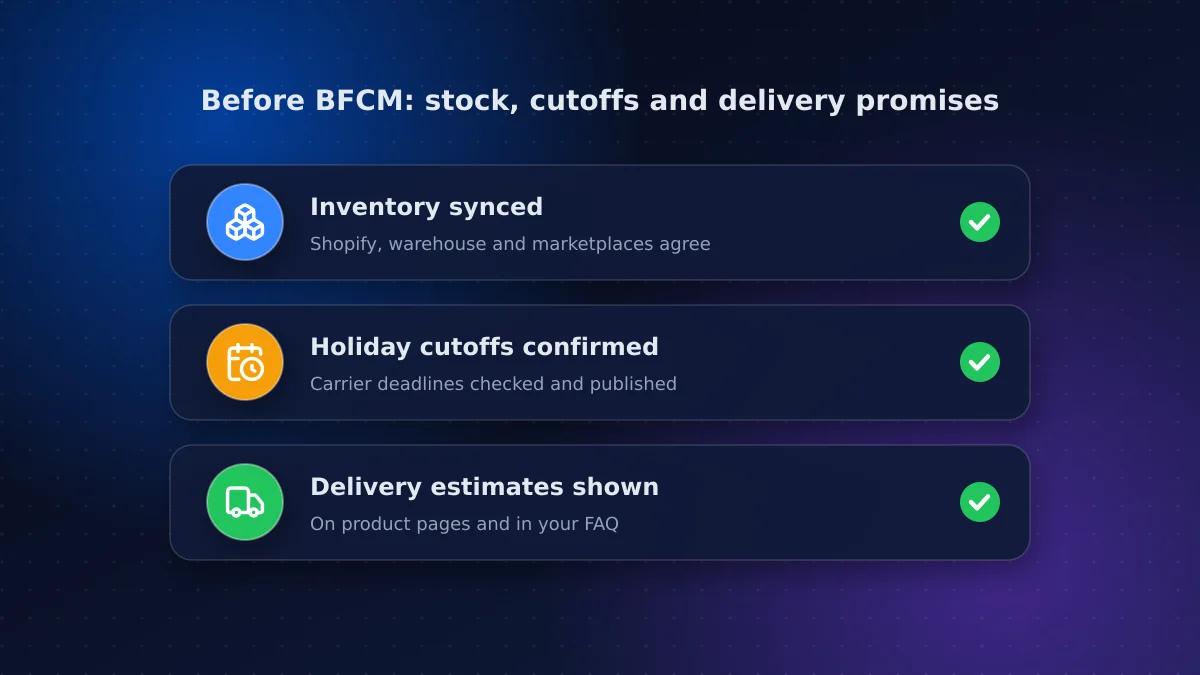
Sync inventory between Shopify, your warehouse or 3PL and any marketplaces so you don't oversell. Then confirm shipping cutoffs with your carriers, including Canada Post's holiday deadlines, and publish them clearly on product pages and in your FAQs. Customers who know when an order will arrive are more likely to buy, and less likely to email support.
Weeks 2–0: code freeze and load readiness
Shopify's infrastructure handles huge traffic spikes; what usually breaks is something added by the store itself. About a week before Black Friday, put a code freeze in place:
- No theme edits or new apps unless they fix a live problem
- Final test of the full purchase path on mobile and desktop
- Pre-schedule discounts and banners so nothing is changed by hand at midnight
- Assign someone to monitor orders, payments and support during the weekend
Test like your customers shop: mobile first
Most BFCM traffic arrives on phones, often from social and email links. Run the whole purchase path on an actual mid-range Android phone and an iPhone: open an email link, browse a collection, apply a discount, check out with Shop Pay and with a card. Watch for pop-ups that cover the add-to-cart button, banners that push products below the fold, and slow-loading reviews widgets. Fix what annoys you; your customers will notice it too.
Who does what during the sale
Small teams get overwhelmed when everyone does everything. Assign clear owners before the weekend:
- Store lead: approves any emergency change and decides on rollbacks
- Customer support: answers chats and emails, and flags repeated questions
- Fulfilment: watches order volume, stock levels and carrier pickups
- Marketing: sends scheduled emails and adjusts ad spend based on stock
Write down who to call if checkout, payments or a key app fails, including your Shopify developer's contact details.
BFCM weekend: monitor, don't tinker
During the sale, watch conversion rate, checkout errors, site speed and support volume. If something breaks, roll back the last change rather than improvising a fix. Keep notes; they're your best input for next year.
After BFCM: carry the gains into Boxing Day and January
Canadian shoppers have a second peak on Boxing Day, December 26, so keep the code freeze in place through the holidays where you can. In early December, review what happened: conversion by device, top landing pages, abandoned cart recovery and support questions. The fixes that would have helped most become your January roadmap.
When to call a Shopify developer, and when not to
A Shopify developer is worth bringing in now for speed audits, app clean-up, checkout and tax configuration, and inventory integrations. A full redesign or platform migration is not a pre-BFCM project; plan it for January, when traffic is lower and you have this year's data. If you're weighing a rebuild, read our comparison of Shopify vs WooCommerce vs custom first.
Conclusion: prepare early, then freeze
A good BFCM is mostly won in October. Work through this Shopify Black Friday checklist week by week: speed, checkout, offers, shipping, then a firm freeze. You'll go into November 27 with a store that converts better every day of the year, not just during the sale.
Need help with speed, checkout or integrations before the freeze? Our e-commerce team works with Canadian Shopify stores. Book a pre-BFCM store audit and we'll send a prioritized fix list.
Frequently asked questions
When is Black Friday 2026?
Black Friday is Friday, November 27, 2026, and Cyber Monday is Monday, November 30, 2026. Most preparation, such as speed fixes, checkout testing and email flows, should be done in the eight weeks before.
Should I redesign my Shopify store before Black Friday?
Usually not. A redesign late in the year risks breaking checkout or tracking just before your busiest weekend. Make targeted fixes now, then plan the redesign for January using this year's data.
Can Shopify handle Black Friday traffic?
Shopify's infrastructure is built for large traffic spikes. Problems during BFCM usually come from the store itself, such as slow apps, heavy scripts or untested discount logic, which is why a pre-sale audit and code freeze matter.
What is a code freeze for an online store?
A code freeze is a period, usually about a week before a big sale, when you stop making theme edits, adding apps or changing integrations unless they fix a live problem. It reduces the risk of something breaking during peak traffic.
Vaibhav Malhotra
Founder, VMR Technologies
Vaibhav Malhotra is the founder of VMR Technologies, where he leads the team building custom websites, e-commerce platforms, and AI solutions for businesses across the Greater Toronto Area and beyond. He writes about practical software and AI strategy for non-technical decision-makers — focused on what actually drives results rather than hype.