Website Redesign SEO Checklist: Relaunch Without Losing Your Rankings
Key takeaways
- Crawl and export every URL on the old site before design work starts.
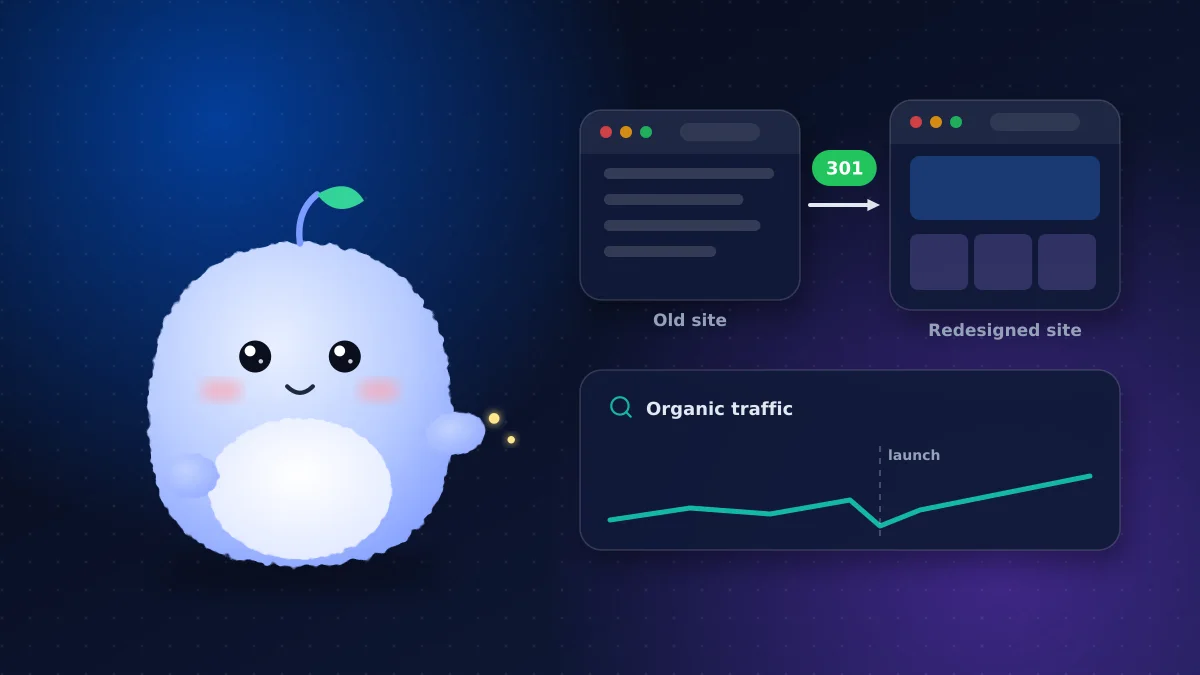
- Map each old URL to its closest new page with a permanent 301 redirect, and keep URLs unchanged wherever you can.
- Keep pages that rank and earn links; rewrite them carefully rather than deleting them.
- Block search engines from the staging site, then remove that block at launch.
- Monitor Google Search Console daily for the first two weeks and fix 404s fast.
A redesign is one of the riskiest moments in a website's life for search traffic. Rankings that took years to earn can drop overnight because of missing redirects, deleted pages or a forgotten "noindex" tag. The good news: almost every redesign SEO disaster is preventable with a checklist.
Before design starts: know what you have
1. Crawl the current site
Use a crawler to export every URL, title, meta description, heading and status code. Add pages from your XML sitemap and from Google Search Console, which can show pages the crawler misses.
2. Identify what earns traffic and links
From analytics and Search Console, list the pages that bring organic traffic, conversions and backlinks. These are the pages you must protect.
3. Benchmark performance
Record current rankings for your important queries, organic sessions, conversions and Core Web Vitals. Without a baseline, you can't tell whether the relaunch helped or hurt.
During the build: protect what works
4. Keep URLs where you can
The safest redirect is the one you don't need. If a page keeps its purpose, keep its URL.
5. Build the URL mapping
Create a spreadsheet mapping every old URL to its new destination. URL mapping should be one-to-one wherever possible, pointing each page to its closest equivalent rather than sending everything to the homepage.
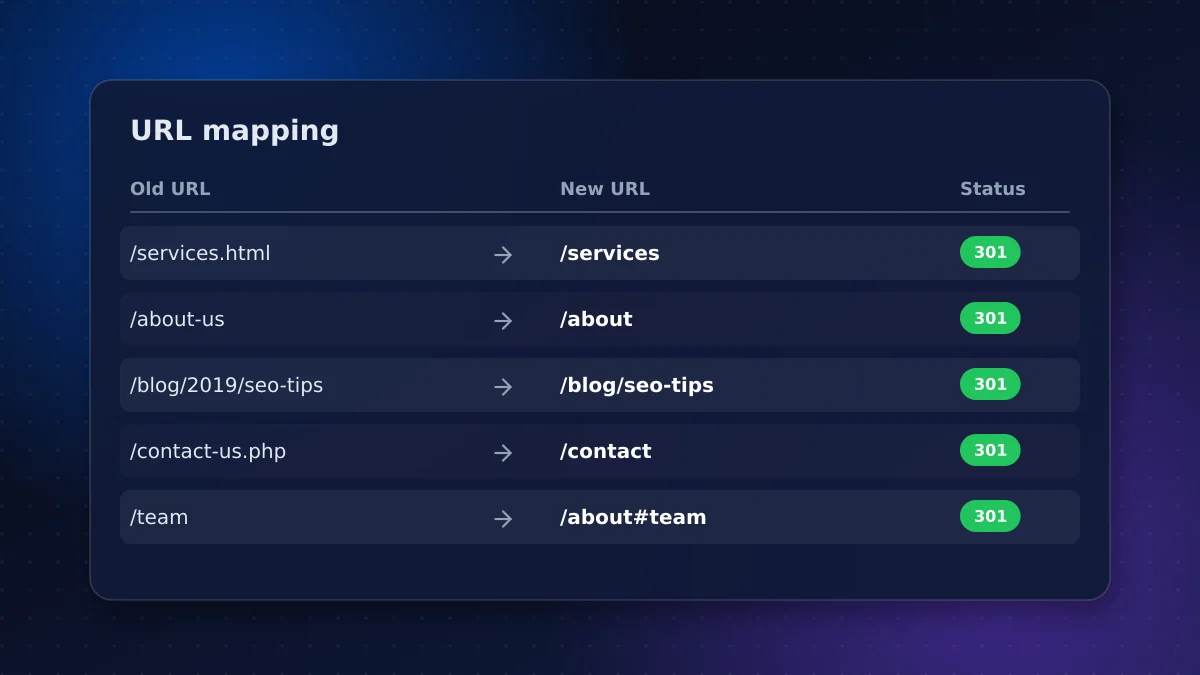
6. Plan 301 redirects
Implement 301 redirects, which are permanent, for every changed URL. Avoid redirect chains, where A redirects to B and B redirects to C, and update old redirects so they point straight to final destinations.
7. Preserve content that ranks
Design changes are fine; deleting the text that made a page rank is not. Carry over headings, body content, FAQs and structured data for important pages, and improve them rather than cutting them.
8. Rebuild internal links
Internal links tell search engines which pages matter. Make sure navigation, footers and in-content links point to the new URLs directly, not through redirects, and that important pages aren't buried deeper than before.
9. Carry over metadata and structured data
Keep title tags and meta descriptions for pages that perform well, and only rewrite the weak ones. Carry over structured data such as organization, FAQ, product and article markup, and validate it on staging before launch.
10. Lock down the staging site
Your staging site should be password-protected or blocked with a noindex directive so Google doesn't index a duplicate copy. Put "remove the staging block" at the top of your launch checklist; leaving it on is one of the most common relaunch mistakes.
Launch day
11. Run the launch checklist
- Remove staging blocks and confirm robots.txt allows crawling
- Deploy all 301 redirects and spot-check a sample from the mapping
- Confirm canonical tags point to the live domain
- Submit the new XML sitemap in Google Search Console
- Test forms, checkout, tracking and analytics events
- Check page speed and Core Web Vitals on mobile
12. Domain changes need extra steps
If you're also moving to a new domain, verify both domains in Search Console and use Google's Change of Address tool after the redirects are live. Google notes that combining a domain move with a redesign makes temporary traffic changes more likely, so avoid doing both at once if you can.
After launch: monitor and fix
13. Watch Google Search Console daily
For the first two weeks, check Google Search Console every day for crawl errors, 404s, indexing problems and drops in impressions. Fix broken URLs with additional redirects as they appear.
14. Compare against your baseline
Some movement in rankings is normal for a few weeks while Google recrawls. Compare traffic and conversions against your benchmark at two, four and eight weeks. A sustained drop on specific pages usually points to a redirect, content or internal linking problem you can fix.
15. Update external links
Ask partners, directories and your Google Business Profile to point to the new URLs. Redirects pass signals, but direct links are cleaner.
Who owns each task
| Task | Usually owned by |
|---|---|
| Crawl, benchmarks and URL mapping | SEO lead or agency |
| Redirect implementation | Developer |
| Content migration and rewrites | Marketing team |
| Staging protection and launch checks | Developer |
| Search Console monitoring | SEO lead |
Name an owner for each task before the project starts. Most SEO losses happen in the gaps between teams.
Use the redesign to improve SEO
A relaunch is also a chance to fix long-standing problems. Common wins include:
- Merging thin or overlapping pages into stronger ones, with redirects
- Improving page speed and Core Web Vitals with lighter templates
- Adding structured data that was missing
- Clarifying navigation so important pages are fewer clicks from the homepage
- Refreshing outdated content on pages that still earn traffic
Make these changes deliberately and track them, so you know what helped.
Common redesign mistakes
- Launching without redirects or redirecting everything to the homepage
- Deleting blog posts or service pages that ranked
- Leaving noindex on after launch
- Changing title tags across the whole site at once
- Shipping a slower site with heavier images and scripts
Conclusion: treat SEO as part of the redesign
A redesign should improve your search performance, not reset it. Follow this website redesign SEO checklist from the first planning meeting to the weeks after launch: crawl, map, redirect, preserve, test and monitor. If you're also deciding on a platform, read our comparison of WordPress vs custom websites first.
Every website we rebuild includes URL mapping, redirects and post-launch monitoring. Planning a redesign? Book an SEO-safe relaunch plan before design work begins.
Frequently asked questions
Will a website redesign hurt my SEO?
It doesn't have to. Most traffic losses come from missing redirects, deleted content or staging blocks left in place. With a URL inventory, one-to-one 301 redirects and preserved content, rankings usually recover quickly or improve.
What is a 301 redirect?
A 301 redirect permanently sends visitors and search engines from an old URL to a new one, passing along most of the old page's ranking signals. It's the standard way to handle changed URLs in a redesign.
How long does it take rankings to recover after a redesign?
Some fluctuation over a few weeks is normal while Google recrawls the site. Compare performance against your baseline at two, four and eight weeks; a sustained drop on specific pages usually points to a fixable problem.
Should I change my domain and redesign at the same time?
Avoid it if you can. Google notes that combining a domain move with a redesign makes traffic changes more likely, because it has to reassess both the new location and the new content.
Vaibhav Malhotra
Founder, VMR Technologies
Vaibhav Malhotra is the founder of VMR Technologies, where he leads the team building custom websites, e-commerce platforms, and AI solutions for businesses across the Greater Toronto Area and beyond. He writes about practical software and AI strategy for non-technical decision-makers — focused on what actually drives results rather than hype.